
EGP
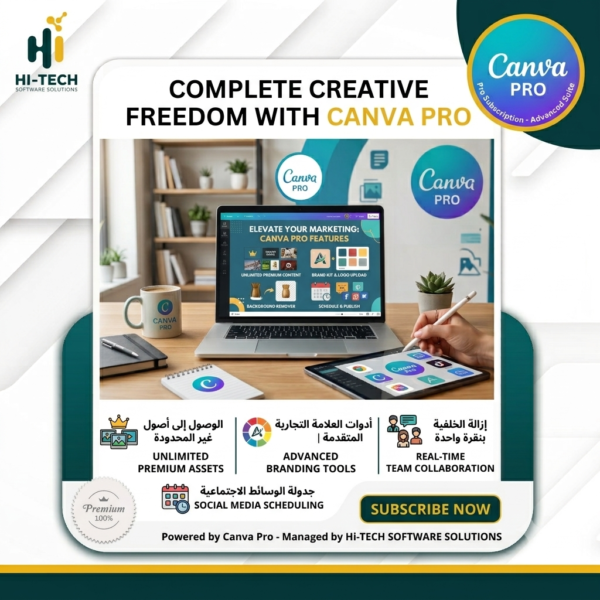
Table of Contents
ToggleCanva Pro
Canva Pro Subscription
A Canva Pro subscription is a service designed to give users access to the best premium features of Canva. The service is available 1-Year subscription plans.
The 1-Year Canva Pro subscription gives users access to thousands of premium templates, millions of stock photos, unlimited folders and cloud storage, and an extensive font library. In addition, users gain access to advanced design tools such as Animation Maker, Magic Resize, and team collaboration features.
With a Canva Pro subscription, users can save brand kits, upload custom fonts, and create unlimited team projects.
Users can upgrade their Canva account from the free plan to Canva Pro at any time. Annual subscriptions are renewable every year.
How to Activate Your Canva Pro Subscription
- Add the product to your cart.
- Complete your purchase.
- Enter your email address during checkout.
- After completing your Canva Pro subscription purchase, you will receive a confirmation message via Email and WhatsApp.
- You will then receive an invitation email from Canva. Simply accept the invitation to activate your subscription.
Some Benefits of Canva Pro
- Access to over 75 million premium stock photos, videos, audio files, and graphic elements.
- Use Canva from any device, including the mobile app, with seamless access.
- Schedule content for Instagram, Twitter (X), Facebook, Pinterest, and LinkedIn.
- Design professional logos and social media posts.
- Access more than 420,000 free templates, with new designs added daily.
- Remove image backgrounds while maintaining high image quality.
- Access over 3,000 premium fonts.
- Create Snapchat filters with just one click.
- 100 GB of cloud storage.
How to Transfer Your Designs from Your Personal Space to Your Education Space
- Select the design you want to transfer from your personal workspace.
- Click Share → Share Link as Template, then copy the generated link.
- Open your Education workspace and paste the link into your browser’s address bar.
- That’s it! Your design will appear in your designs list within the Education workspace.
Important Notes
- Your Canva Pro subscription is activated on your existing Canva account—there is no need to create a new account.
- Instant and secure activation.
- Our technical support team is available to assist you whenever you need help.
💳 Available Payment Methods
To make your purchase easier, our store offers multiple payment options.
Simply add the product to your cart and choose the payment method that suits you best.
Why Choose Us?
💰 Competitive pricing with guaranteed activation.
✅ A secure, reliable, and hassle-free purchasing experience.
Our customer support team is available via WhatsApp to answer your questions and provide assistance whenever needed.
Other Products
Be the first to review “Canva Pro Subscription”Cancel Reply
Related products

Adobe Acrobat Pro DC 2019
Rated 5.00 out of 51,200EGP – 8,900EGPPrice range: 1,200EGP through 8,900EGP Select options This product has multiple variants. The options may be chosen on the product pageAdobe Creative Cloud All Apps
Rated 5.00 out of 5350EGP – 1,700EGPPrice range: 350EGP through 1,700EGP Select options This product has multiple variants. The options may be chosen on the product page

Reviews
There are no reviews yet.